
CubeAway - 3DPuzzle
GOODROID,Inc.Puzzle
4.42.63K Reviews
- Version
- 1.7.0
- Installs
- 5.00M
- Age Rating
- Everyone
Screenshots
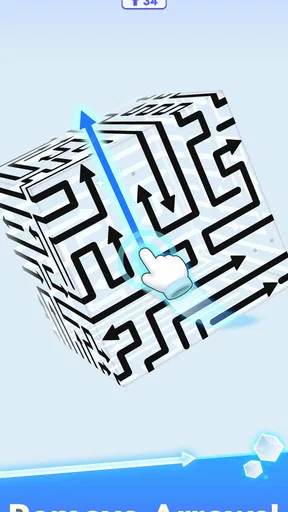
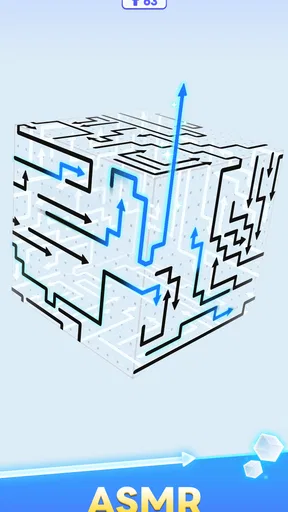
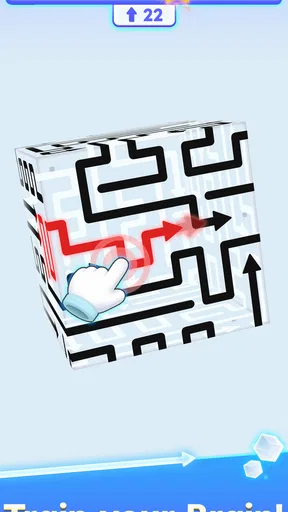
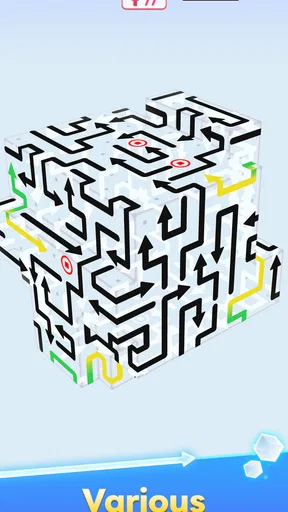
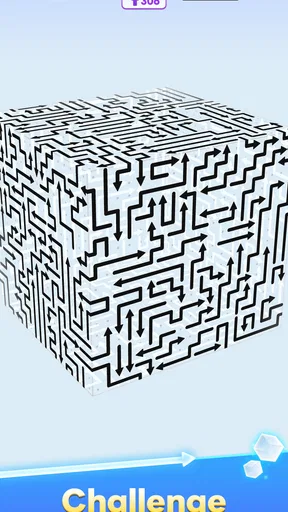
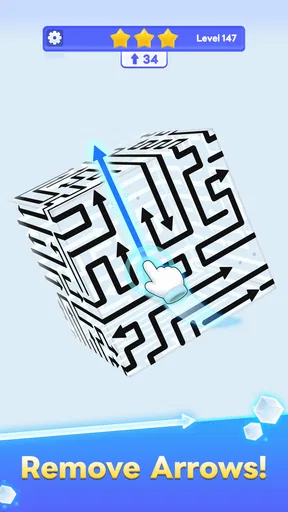
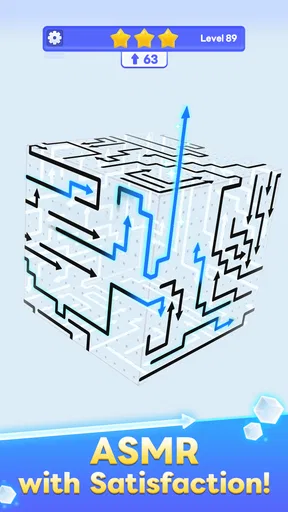
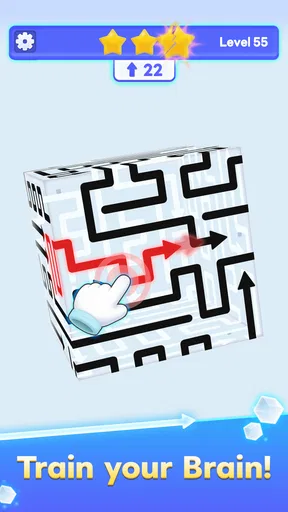
Our Review of CubeAway - 3DPuzzle
 Analysis by Appyee
I went into CubeAway expecting a small, easy-to-understand puzzle, and that is exactly what I found: a six-sided cube covered with arrows, where the aim is to remove every arrow. The idea is simple to explain, but the spatial part makes it more demanding than a flat matching game. I had to stop looking at one face at a time and start thinking about how the cube’s sides connect.
That makes this a good fit for short puzzle sessions. It is the kind of game I can open while waiting for an appointment, play through a few moves, and put down without losing the basic thread. It does not ask me to learn a complicated story or manage a large collection of systems. The challenge comes from reading the cube correctly and choosing a sensible order for clearing it.
What makes the cube puzzle interesting
The central task in this puzzle game is removing all the arrows from a six-sided cube. That wording sounds almost mechanical, but the cube format changes how I approach each board. A move that looks useful on the face in front of me may affect the way I can work on an adjoining side. The result is a compact spatial puzzle rather than a routine tap-and-clear exercise.
I found the best mindset was to treat the cube as one object instead of six separate panels. Before acting, I look for arrows that seem to open access to another face, then check whether clearing that area will leave a more awkward section behind. This small pause matters. Fast tapping is not necessarily progress, especially when the visible face makes one choice look more obvious than it really is.
The game’s appeal comes from that tension between clarity and caution. The objective is immediately readable, while the consequences of a move require a little thought. That balance should suit players who like casual puzzles with a visual-spatial twist, particularly those who enjoy examining a board before committing to a sequence.
There is also a useful difference between solving and simply reacting. If I make a move because an arrow is directly in front of me, I may create a less convenient angle for the next part of the cube. When I instead identify a route through several connected faces, the board feels more manageable. This is one of the non-obvious strengths of the design: the puzzle rewards planning without needing a long tutorial or complicated rules.
Where players are most likely to get stuck
The first common sticking point is perspective. A cube can make a nearby arrow look like it belongs to a simple path, even though its relationship with the neighboring face changes the solution. I recommend rotating or inspecting the view deliberately rather than trusting the first angle. If a move seems strangely blocked, the problem may be the way the cube is being read, not a broken level.
Another source of trouble is clearing the most visible area too early. The front face naturally attracts attention, but it is not always the best place to begin. I look for edges, corners, and arrows that appear to control access between faces. Working around those connections can reveal a safer sequence than removing isolated arrows in the middle of the screen.
A third issue is assuming that every unsuccessful attempt means the puzzle has been designed unfairly. In my experience with this style of board, a failed sequence often comes from overlooking one side or misjudging the order of actions. I reset my thinking before resetting the level: inspect the whole cube, identify what remains hidden by the current view, and then try a different route.
This is also where the game may divide players. Someone who wants a completely immediate, no-mistake casual experience could find the spatial reading mildly frustrating. The challenge is not based only on speed or recognition; it asks for visual patience. Players who enjoy that kind of pause will likely see the same friction as the reason to keep playing.
Setup checks before blaming the puzzle
CubeAway is free to download and is listed for everyone, which makes it approachable for family use and casual testing. It comes from GOODROID,Inc., and the current version is 1.5.0. On Android, the stated minimum requirement is version 6.0, so I would check the device software before troubleshooting anything more complicated.
If the game does not open properly, I would begin with ordinary checks: confirm that the device has enough available storage, close other demanding apps, and restart the phone or tablet. These steps are not specific gameplay tricks, but they remove common causes of slow loading, unresponsive taps, or an interface that appears frozen.
I would also make sure the installation completed normally and that the device is not struggling with a weak connection during the initial launch. A puzzle this compact should not require a complicated setup from the player, so unusual behavior at startup is worth treating as a device or installation issue first. Reopening the game after a restart is a sensible second test before changing anything else.
The age rating of Everyone is useful if I am choosing something for a shared device, although that label does not tell me whether the puzzle style will suit a particular child. The important practical question is whether the player enjoys rotating a three-dimensional object and thinking through consequences. A younger player may understand the goal quickly but still need help seeing why an apparently correct move leads to a dead end.
Because the game is free, trying it does not require an upfront purchase. There are in-app purchases ranging from $1.99 to $98.99 per item, so I would keep that in mind when handing the device to someone else. I prefer to review the purchase controls on the device before allowing unsupervised play, especially when the game is being used by a child or on a shared account.
How I recover after a bad sequence
When I reach a position that no longer makes sense, I avoid tapping randomly to see what happens. Random moves make a spatial puzzle harder to diagnose because I lose track of which change caused the problem. Instead, I pause and reconstruct the board: which faces have been cleared, which edges still connect the remaining arrows, and whether I have been viewing the cube from a misleading angle.
A useful recovery routine is to return attention to the least examined face. The front and top sides are easy to watch, while the rear or lower area can become mentally invisible. I deliberately inspect those neglected areas before continuing. This often reveals that the apparent obstacle is not a permanent block; it is simply an arrow or connection I failed to account for.
I also find it helpful to separate safe moves from uncertain ones. A safe move is one that clearly removes an arrow without closing off a needed route. An uncertain move is one whose effect depends on a side I have not checked. Taking the safe actions first reduces the number of possibilities and makes the remaining structure easier to understand.
If I still cannot see a clean path, I take a short break rather than forcing the board. This is a surprisingly practical tip for a game built around visual interpretation. After a minute away, the cube often looks less confusing because I am no longer fixated on the same tempting arrow. The game works well in this respect: progress depends more on a fresh look than on lengthy continuous sessions.
For players who dislike replaying a sequence, the trade-off is clear. The satisfaction comes from finding the order yourself, but that also means a mistake can feel more personal than in a simple match-three game. I would recommend treating failed attempts as information about the board rather than as wasted time. That attitude makes the learning curve feel fairer.
When the app may not be the cause
Not every touch problem points to a game defect. If taps register late across other apps, the device may be under load or the screen may need attention. I would test the display in another application before deciding that the cube is ignoring input. Cleaning the screen, removing an obstructive case edge, and closing background apps are simple checks that can distinguish a local device problem from a game-specific one.
Orientation and viewing comfort can matter too. A cube puzzle demands that I read edges and adjacent faces, so glare, a dim display, or an uncomfortable angle can make the board seem more confusing than it is. I get better results when the screen is easy to see and I hold the device steadily enough to inspect the cube rather than constantly shifting it in my hands.
If performance changes after many apps have been open, I would restart the device before reinstalling anything. Reinstallation should be a later step because it can remove local progress or settings, depending on how the game handles them. I would only use it after the basic checks have failed and after considering whether any progress might be lost.
Connection trouble should also be interpreted carefully. A temporary network issue may affect installation or store-related actions without changing the underlying puzzle itself. If the game has already opened and the board responds normally, a connection problem is less likely to explain a single difficult level. In that situation, I would return to inspecting the cube rather than repeatedly changing network settings.
These checks are especially relevant because the game’s simplicity can create unrealistic expectations. Since the objective is easy to describe, players may assume every difficulty must be technical. In reality, the main challenge is visual reasoning. A board that looks stuck may simply be waiting for a different viewpoint or a more deliberate order.
How it compares with familiar puzzle alternatives
Compared with match-three games, CubeAway feels quieter and more deliberate. There is no need to scan a large field for a chain of identical pieces; the focus stays on the geometry of one cube. Players who enjoy quick pattern recognition may find it slower, while people who prefer planning and spatial manipulation may appreciate the narrower, more focused task.
It also differs from traditional flat tile puzzles. A flat board lets me map positions in two dimensions, but the cube asks me to remember how visible faces meet around corners. That extra layer creates more mental work without requiring a large number of rules. If I want a puzzle that tests rotation and orientation, this is a better match than a standard sliding grid. If I want a relaxing game that can be solved by scanning one fixed screen, a flat alternative may be more comfortable.
Compared with physics-based puzzle games, this one appears more controlled in its basic premise. The central challenge is the order and reading of arrows on the cube, not building a contraption or predicting a chain of simulated events. That makes it easier to explain to a friend, but it may feel less expressive to someone who enjoys experimenting with many tools and objects.
The free entry point is another practical advantage over paid puzzle titles, though the in-app purchase range means I would still pay attention to spending controls. The game is suitable for a quick trial without an upfront cost, but whether it remains satisfying depends on how much I enjoy repeating the same kind of spatial decision-making. It is not a universal replacement for every puzzle genre.
Who should play it and who should skip it
I would recommend this game to players who like compact challenges, visual organization, and the satisfaction of finding an order that was not immediately obvious. It is particularly suitable for short breaks because the concept is easy to resume. I can return after putting the phone down without needing to remember a story, a character build, or a long chain of objectives.
It may also work well as a shared puzzle for a family member or friend. One person can hold the device while another suggests which face to inspect next, turning the cube into a small conversation rather than a solitary test. That use case depends on the group enjoying trial and discussion; people who become impatient when a solution is not instant may not find it as entertaining.
I would skip it if I mainly want action, narrative progression, or a large variety of puzzle mechanics. The appeal is concentrated in the six-sided arrow-clearing idea. That focus is a strength when the mechanic fits, but it can become repetitive for players who need frequent changes of format. I would also look elsewhere if spatial rotation tends to cause frustration or if I prefer puzzles with a clearly marked hint system and a predictable, flat layout.
The audience numbers suggest that the game has reached a substantial group of players: it has over 1 million installs, with a 4.5 average from around 125 thousand ratings and 1.6 thousand written reviews. Those figures make it easier to see why the concept has broad appeal, but they should not replace personal fit. A popular puzzle can still be the wrong choice for someone who dislikes three-dimensional boards.
My practical verdict after playing
CubeAway succeeds because it turns a very small rule set into a puzzle that asks me to think in three dimensions. The strongest moments come when I stop chasing the most obvious arrow and instead understand how several faces relate. That is a more meaningful form of progress than simply tapping quickly, and it gives the game a clear identity among casual puzzle apps.
Its main friction is also easy to identify: perspective can obscure the solution, and a careless sequence may leave me unsure whether I made a mistake or missed part of the cube. The best response is not frantic input. I check the overlooked faces, separate safe moves from uncertain ones, and restart my visual plan before assuming the app is malfunctioning.
For an everyday example, I can imagine using it during a short commute or while waiting for food, playing one focused session and stopping when my attention fades. That is where the design fits best. It offers enough thought to avoid feeling empty, but the premise is compact enough that I do not need a long uninterrupted evening to enjoy it.
The game is free, rated Everyone, and compatible with Android starting at version 6.0, making it easy to try on many older devices. I would still check purchase controls on a shared phone because optional items cost from $1.99 to $98.99 each. That is a practical consideration rather than a reason to dismiss the puzzle, but it belongs in the decision for families and managed devices.
My recommendation is straightforward: try it if you want a focused 3D puzzle game built around observation and move order. Give it a fair chance by examining the whole cube instead of treating the front face as the entire board. If you prefer fast reactions, story-driven progression, or constantly changing mechanics, another puzzle style will probably serve you better. For me, the compact spatial challenge is enough to make CubeAway worth keeping around for those moments when I want a small problem to solve.
Privacy and Permissions
See what permissions an app requests and how it handles your data.
- Location
- approximate location (network-based)
- Phone
- read phone status and identity
- Wi-Fi connection information
- view Wi-Fi connections
- Device ID & call information
- read phone status and identity
- Other
- view network connections, pair with Bluetooth devices, access Bluetooth settings, connect and disconnect from Wi-Fi, full network access, control vibration, prevent device from sleeping, Google Play license check
Verdict
Strengths of CubeAway - 3DPuzzle
- Simple drag-and-drop controls are easy to learn.
- Short levels make it suitable for quick gaming sessions.,3D cube mechanics offer a refreshing puzzle experience.
- Works well for players who enjoy spatial reasoning challenges.
- Minimalist presentation keeps attention on solving puzzles.
Limitations of CubeAway - 3DPuzzle
- Some puzzles may feel repetitive after extended play.
- Precision can be difficult on smaller phone screens.
- The difficulty curve may not satisfy expert puzzle fans.
- Limited variety could reduce long-term replay value.
- Ads may interrupt gameplay in the free version.
Other Releases by GOODROID,Inc.
View All
Hexa Away
Puzzle4.3
Similar Picks in This Category
View All
Block Blast!
HungryStudio4.8

Braindom: Brain Games Test
Lahana Game Studio4.6

AMAZE!
CrazyLabs LTD4.6

Sudoku - Classic Sudoku Puzzle
Oakever Games4.7

Art Puzzle - Puzzle Games
Easybrain4.8

Amaze GO!
Oakever Games4.9
Frequently Asked Questions
What is CubeAway - 3DPuzzle and how is it played?
CubeAway - 3DPuzzle is a three-dimensional block puzzle game focused on clearing layered cube structures. You rotate the puzzle to inspect it from different angles, then tap or remove matching pieces according to the game’s rules. The main challenge is planning your moves carefully, because removing one block can reveal or obstruct others. It combines spatial reasoning, observation, and relaxed puzzle-solving rather than fast reflexes.
Is CubeAway - 3DPuzzle suitable for beginners?
Yes, CubeAway - 3DPuzzle is generally approachable for beginners because its basic interaction is easy to understand after a short introduction. The early stages normally help you learn how to rotate the 3D structure, identify available pieces, and avoid making unnecessary moves. However, later puzzles can become considerably more demanding, so patience and careful observation are important if you want to complete levels efficiently.
Can CubeAway - 3DPuzzle be played offline?
The core puzzle experience may be available without a continuous internet connection, which makes CubeAway - 3DPuzzle convenient for short sessions while traveling or when mobile data is limited. Nevertheless, certain features—such as advertisements, reward systems, online events, analytics, or updates—may require connectivity. Before relying on offline play, it is sensible to launch the game once online and check which functions remain accessible.
Does CubeAway - 3DPuzzle contain advertisements or in-app purchases?
Like many free-to-download mobile puzzle games, CubeAway - 3DPuzzle may use advertising and optional in-app purchases to support development. Ads can potentially appear between levels or when you request extra help, while purchases may offer items such as hints, additional attempts, or an ad-free experience. Review the store listing and the payment settings on your device before downloading, especially if children will use the app.
What should I know about privacy and device compatibility before downloading?
Before installing CubeAway - 3DPuzzle, check its current Google Play or App Store listing for supported operating-system versions, download size, recent updates, and the developer’s privacy disclosures. Puzzle games can request permissions for advertising, diagnostics, or notifications, although the exact requirements may vary by platform and release. Installing the official version from a trusted store is the safest way to receive updates and avoid modified files.
Play our best games!


